



You’re Falling Behind—And You Don’t Even Know It. The tech world isn’t waiting for you. AI is evolving faster than ever, and if you’re not using the right tools, you’re already behind. The best software engineers stay ahead by investing in the right AI subscriptions—ones that boost productivity, streamline workflows, and enhance skills. Go through the list of these best-paid AI subscriptions that are must-haves for software engineers in 2025.
As a software engineer, staying updated with the trends is important for better career growth and professional development. With rapid changes in technology since 2020, the tech industry continues to evolve quickly, demanding specialisations in the tools to survive the competition.
Here, a detailed comparison of each tool is made so you can select the best subscription for software engineers. By evaluating these tools based on their key features and pricing, you can pick the one that meets your project requirements.
Best Paid AI Subscriptions for Containerisation and DevOps:
These tools will help you with the important aspects of software development including deployment and collaboration. With these tools, you can work on the virtualisation, containerisation, and management of the infrastructure of your project.
1. Docker Pro
Docker Pro facilitates virtualisation and simplifies your development process. By separating applications into containers, you can develop, test, and set up software more successfully across different environments. Ultimately, Docker Pro helps accelerate software delivery with its improved collaboration among developers and the operations team.
Key features:
- Easily adaptable: Due to its lightweight containers, Docker is highly flexible.
- Easy and faster configuration: Docker allows the setup of a system so fast and easily, making it possible to install the code in less time with minimal effort.
- Application separation: This offers containers that are further used by software engineers to run applications in an isolated environment. The best thing about this feature of Docker is that each container is independent of another, and it allows us to perform any kind of application required.
- Routing mesh: Docker offers a routing mesh feature to route the incoming requests for published ports on available nodes to an active container. Even if no task is operating, it allows the connection.
Pricing details:
Though DockerPro does not offer any free trial, Docker personal users can try Docker Build Cloud for free for 7 days. Check out for prices here.
Also check out this: 50% Off Docker.com Hub Top Promo Codes & Discount Codes.
2. Amazon Elastic Container Registry (ECR)
AWS Elastic Container Registry (ECR) is a container image repository that is fully managed by AWS. A container image repository securely stores images of containers like Docker images. Images can be pushed to AWS ECR Repositories and consumed from AWS services like AWS Elastic Container Service (ECS) or AWS Elastic Kubernetes Service (EKS).
Key features:
- Cloud-based storage for Docker images: AWS ECR offers cloud-based storage for Docker container images, allowing users to securely store and manage their images in the AWS cloud.
- Image scanning and security: It allows for image scanning for vulnerabilities, IAM (Identity and Access Management) integration for access control, and encryption for stored images.
Pricing details:
Though AWS ECR is a paid tool, it offers a free tier for small-scale usage. As compared to Docker, AWS ECR is cost-effective as it follows a pay-as-you-go strategy; you don’t need to pay monthly or yearly as a fixed cost. Just set your requirements and pay accordingly. Check out the prices for AWS ECR here.
A comparative analysis for containerisation tools:
You can choose the best out of two based on your requirements. Here’s a simple analysis that can help you decide faster.
| Criteria/Preference | DockerPro | AWS ECR |
| Primary use case | It allows local container image storage and sharing for developers and small teams | It offers cloud-based storage, integrated with AWS ecosystem |
| Storage Location | It stores private repositories in Docker Hub. | All the docker images will be stored in the AWS cloud storage. |
| Image sharing | It allows limited sharing with the teams and collaborators through Docker Hub | You can share images largely into the AWS ecosystem. |
| Integration | Works with Docker Swarm or Kubernetes (via Docker Desktop) | Flexible enough to fully integrate with AWS ECS, AWS EKS, and Lambda |
| Best for | Developers, small teams, or startups needing private repositories and local container management | Teams and organizations using AWS services, looking for cloud-based storage and scalable container management |
Best Paid AI Subscriptions for Code Generation
These tools are designed to reduce your time and human errors in writing code. With these tools the developer can write and provide code suggestions, completions, and even entire functions.
1. GitHub Copilot

GitHub, in collaboration with OpenAI, developed this AI-powered code completion tool. This AI tool assists developers by providing suggestions on code improvement for whole lines or blocks of code in the Integrated Development Environment (IDE).
Key features:
- Intelligent code suggestions: It offers context-aware code completions as you type. Based on your recent coding context, suggests relevant functions, variables, and code structures.
- Natural Language Processing: It can write natural code descriptions of the required code functionality to provide code snippets directly.
- Cross-language support: It supports running code across multiple programming languages, resulting in generating suggestions for Python, C#, JavaScript, Java, and many more.
- Context-aware suggestions: It considers the various requirements of the project, like project structure, code environment, and relevant libraries, to provide tailored code suggestions.
Pricing detail:
Get this comprehensive developer platform now! Check out the price of each package here.
2. Cody AI

Cody AI is an AI coding assistant that helps developers understand, write, and fix codes faster by using its advanced search capabilities to read context from their entire codebase. It assists the team of software engineers and developers by providing automated suggestions and code generation based on the coding style of the project.
Key features:
- Smart code completion: It offers features like code completion, explanation, updating suggestions, and even identifying potential code issues by analysing the complete code database.
- Flexible integration: Cody easily integrates with various code editors, like VS Code. This integration allows developers to access its features directly within their development environment.
- Context awareness: Cody quickly understands the context of the code, not just the current file. So, Cody’s suggestions are more reliable and accurate.
- Code documentation generation: Cody AI can generate documentation for your code. This automated document generation helps users keep their codebase well-documented without needing them to manually document every function or module.
Pricing details:
Check out the recent pricing of Cody AI here.
3. Tabnine
Tabnine is an AI coding assistant that automates the coding workflow through its customised AI tools. It supports various programming languages, and its smooth integration in various IDEs, such as Visual Studio Code, IntelliJ IDEA, and PyCharm, makes it a unique must-have tool for every developer.
Key features:
- Personalised suggestions: It learns coding patterns and, based on them, provides immediate personalised solutions to its team, making it a good choice for enterprise environments that need to keep their codebase private.
- Multiple language support: It supports execution via multiple programming languages, including Python, JavaScript, Java, TypeScript, and others.
- Function and method suggestion: Tabnine is a reliable AI solution that can suggest methods and functions based on your current code context.
Pricing details:
Check out the latest prices of Tabnine here.
Read More: How OpenAI’s Latest GPT Model is Redefining Content Creation
A Comprehensive Overview of the Best Paid AI Subscriptions:
| Tool | Pros | Cons |
| Tabnine |
|
|
| Cody AI |
|
|
| GitHub Copilot |
|
|
Check below for the best-suited coding software as per the requirements of the project. So:
- If you are looking for a simple and powerful AI code assistant, go for GitHub Copilot.
- If you are working on a larger codebase as a part of your enterprise, you may require a customisable AI assistant. Tabnine will be the best fit for you then.
- If you need a well-documented code structure with advanced context-aware suggestions, then Cody AI will fit your needs.
3. Best Paid AI Subscriptions for Debugging and Optimisation
1. Stepsize AI
The Stepsize AI tool enhances optimisation by providing automated detailed sprint reports. With its accurate and concise reporting, it allows engineers to assist in timely delivering enhanced projects.
Key features:
- Instant issue tracking: Stepsize allows real-time tracking of issues. It instantly identifies and explains code issues as they arise.
- Enhanced code quality: It maintains high standards of code quality throughout the development process of the project.
- Effective impact prioritisation: It prioritises technical debt based on its impact on development. Hence, enabling the team to effectively prioritise their critical tasks.
- Personalised workflows: It is highly flexible to the project requirements. So, it is a good fit into your team’s existing workflow, adapting to different project needs and methodologies.
Pricing detail:
Check out the best price for this amazing debugging AI tool here.
2. Sentry ai
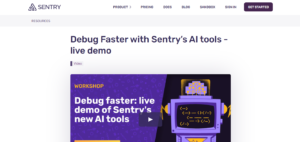
Sentry AI is a self-hosted and cloud-based tracking application that assists engineers in real-time error tracking and performance monitoring. It pinpoints the exact issue, the code culprit, and the user impact. It delivers real-time alerts, notifying you of new errors immediately as they arise. Its ability to integrate with popular tools like GitHub and Slack smoothens the workflow, resulting in higher productivity.
Key features:
- Automated error tracking: It automatically identifies, captures, and collects errors from applications across different platforms.
- Issue grouping and deduplication: It groups similar errors under one issue based on a fingerprint, preventing noise from redundant error reports.
- Real-time monitoring: It reports new errors as they occur, enabling users to respond to the errors immediately at the initial stage only.
- Cross-platform support: It can integrate with various programming languages and frameworks, allowing you to monitor errors across your entire tech stack.
Pricing details:
Check out the pricing policy for each accessible feature here.
Also read: What are Autonomous AI Agents in 2025?
A Brief Overview of Debugging AI Tools:
| Tool | Pros | Cons |
| Stepsize AI |
|
|
| Sentry AI |
|
|
Best Paid AI Subscriptions for Code Review and Work Management
1. Notion Personal Pro

Notion Personal Pro is the ultimate tool for organising and prioritising your thoughts, projects, and tasks. Its flexibility allows you to create databases, wikis, and collaborative documents, making it a central hub for creativity.
With Notion, you can track coding projects, generate new ideas, and maintain effective communication with your team—all in one place.
Key features:
- Unlimited file uploads: Notion allows you to organise your workspace effectively by allowing you to upload files of any size and quantity without restrictions.
- Unlimited invitees: At notion, you can share your workspace with an unlimited number of collaborators to share your workspace.
- API access: Notion integrates easily with other applications using the API.
- Collaboration tools: Notion offers real-time collaboration; you can share pages, collaborate, and leave comments, allowing you to connect with others in real-time.
Pricing detail:
Check out the latest prices of Notion here.
2. RegEx GPT
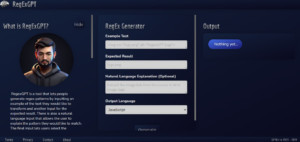
RegexGPT helps software engineers generate patterns by inputting an example of the text they wish to transform and another input for the expected result. It offers natural language input that allows users to explain the pattern they wish to generate.
Key features:
- RegEx Generation: It automatically generates regex patterns based on the analysis of user input like user description, expected results, etc.
- Pattern explanation: It provides an explanation of the generated regex pattern, breaking down complex syntax into understandable segments to aid learning and application.
- Testing and Feedback: It allows users to test regex patterns against various strings and offers specific feedback on each test case, indicating matches and detailing reasons for any mismatches.
- Optimisation Assistance: It refines and optimises regex patterns for better performance and readability, ensuring efficient and maintainable expressions.
Pricing details:
Grab the deal: 20% off on an annual subscription on joining now. Check out RegEx GPT prices here.
3. WhatTheDiff
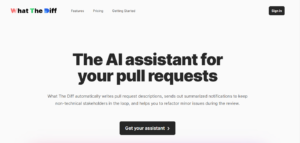
WhatTheDiff is transforming the process of manually reviewing code with its automated code review AI process. This intelligent code review app assists engineers in writing better pull request descriptions. It uses machine learning and multiple AI models like NLP to translate the diff of your pull requests into an easy-to-understand summary for your entire team, without any complexity.
Key features:
- Automated PR description: It automatically generates a clear and easy-language English summary of the changes made in your pull request (PR).
- Weekly progress report: Its AI model automatically generates a report that includes a summary of the most important pull requests. It directly sends updates on your team’s Slack to keep every technical and non-technical member of the team updated.
- Changelog generation: Generates public or JSON-feed-accessible changelogs by summarising selected pull requests in non-technical language, facilitating clear communication of project changes.
- Instant Code Refactoring: Allows reviewers to request code refactoring by commenting with /wtd followed by the desired changes. The tool suggests modifications directly within the pull request for easy acceptance.
Pricing details:
Get this code review assistance and use these exciting features. Check prices here.
Read Also: AI Tool Hunt: This GPT Tool Will End Your Search for the Best AI Fit
Top 5 Reasons to Use Paid AI Subscriptions
Paid AI subscriptions are often considered the best subscriptions for software engineers. Subscribing to top-notch tools helps software engineers access the overall benefits of AI-powered tools that can help them automate repetitive intellectual tasks like code generation, bug detection, code completion, and optimisation.
In a recent survey, there was a 6% hike in the number of software engineers who are using or planning to use AI coding tools, up from 70% last year. Even if you are just a CS aspirant with a love for coding, these AI tools will help you ace your Java coding interview questions with confidence.
There are several benefits of using paid subscriptions for software engineers; some of them are:
- Faster coding: Paid subscriptions help developers and programmers automatically generate code snippets or entire functions based on the user input, resulting in reduced human errors and development time.
- Improved code quality with zero errors: AI enhances its utility for software engineers as it analyses the existing code to explain its functionality and suggests improvements.
- Efficient debugging: AI helps identify the root cause of the detected bug, and based on its deep analysis, it provides relevant debugging suggestions.
- Personalised code recommendations: Some paid subscription programs easily adapt to a developer’s coding style and project requirements to provide customised code suggestions.
- Cross-platform compatibility: AI tools can also run across different programming languages and can easily adapt to different work environments.
What to Consider While Choosing the Best Paid AI Subscriptions as a Software Engineer
Of course, every penny you pay to enhance your skill is worth your evaluation. A software engineer must consider the following factors before selecting the best-paid AI subscription for their project. Evaluate the requirements of your project on the following factors:
- Use case of your project
- Easy Integration
- Language performance of the AI
- Conversational design of the software
Notice the importance of compliance and security of your project and select the software that meets the security requirements of your individual or team’s project.
Conclusion:
Selecting the best-paid AI subscriptions can help you stand out in a competitive industry. Of course, investing in your growth costs money—but think of it as paying rent for a prime spot in the tech world. These above-discussed tools serve your various professional needs, from coding and productivity to gaining and sharing knowledge on the latest developments in the software industry.
Integrating the best subscription for software engineers based on your project requirements can help you enhance your workflow and efficiency in project delivery. Embrace the power of these tools and let your tech skills shine!
FAQs
Q-1: Which software engineer gets paid the most?
Cloud architect software engineers get paid the most. They help businesses and corporations to transfer their IT methods to a cloud format. These professionals get the highest-paid software engineer salary.
Q-2: How can I maximise my software engineering salary?
A great way to maximise your salary is to work on your skills that can add stars to your tech profile. Further, you must try to create as much positive impact as you can at your current company.
Q-3: Can a software engineer earn 1 crore per month?
Yes, a software engineer who is proficient in the top AI tools that are evolving the tech industry can earn 1 crore per month, even it can be more than that.
Q-4: Which IT domain has the highest salary?
The top 7 highest-paying jobs in computer science in India are blockchain developer, cloud architect, DevOps engineer, cybersecurity analyst, AI engineer, software development manager, and UI/UX designer.
Q-5: Who is the No. 1 software engineer in the world?
Possibly, the best-known software engineer in the world is Linus Torvalds,” the creator of the Linux operating system.


Comments (3)
Athena Fiona Fletcher 1 year ago
Your blog stands out in a sea of generic and formulaic content Your unique voice and perspective are what keep me coming back for more
Karson Messiah Ali Daniel 1 year ago
Your blog has become my go-to source for inspiration and motivation Thank you for consistently delivering high-quality content
Jon Q. Wilkinson 1 year ago
Your writing is so genuine and heartfelt It’s refreshing to read a blog that is not trying to sell something or promote an agenda